





Wispr Flow Admin
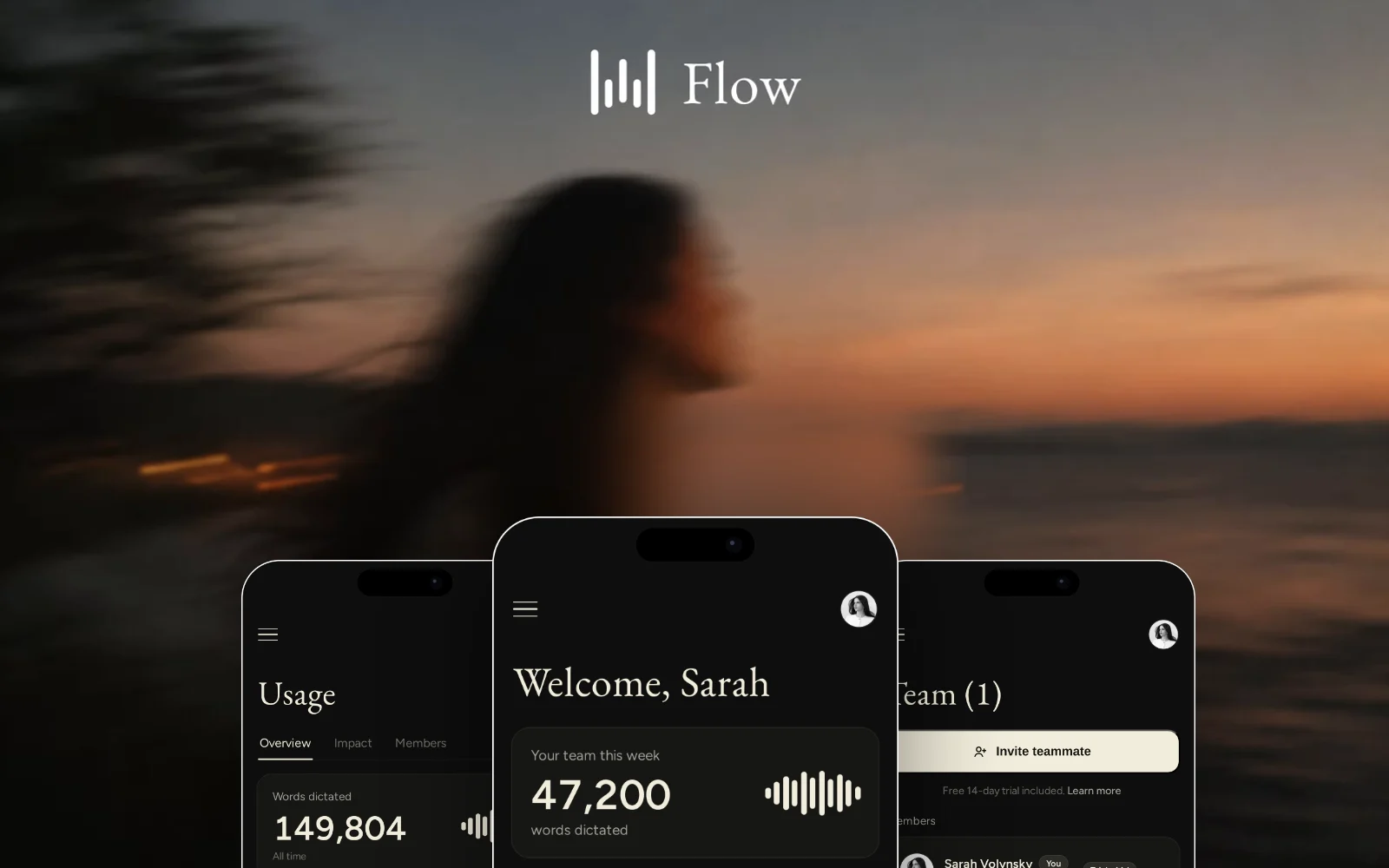
A mobile-first redesign of the Wispr Flow admin portal, reimagining team management, usage, and workspace settings for admins on the go.
- Role
- Product Designer & Engineer
- Timeline
- One weekend · 2026
- Type
- Self-initiated concept
- Built with
- Next.jsReactTypeScriptTailwind
Overview
Built for the moments you’re away from your desk.
Wispr Flow turns speech into text across every app. While using it with a team, I noticed the admin portal assumed a desktop workflow.
I redesigned the experience from the ground up for mobile, exploring how workspace management could feel native on a phone instead of compressed from a larger screen.
The Problem
A desktop interface squeezed onto a phone.
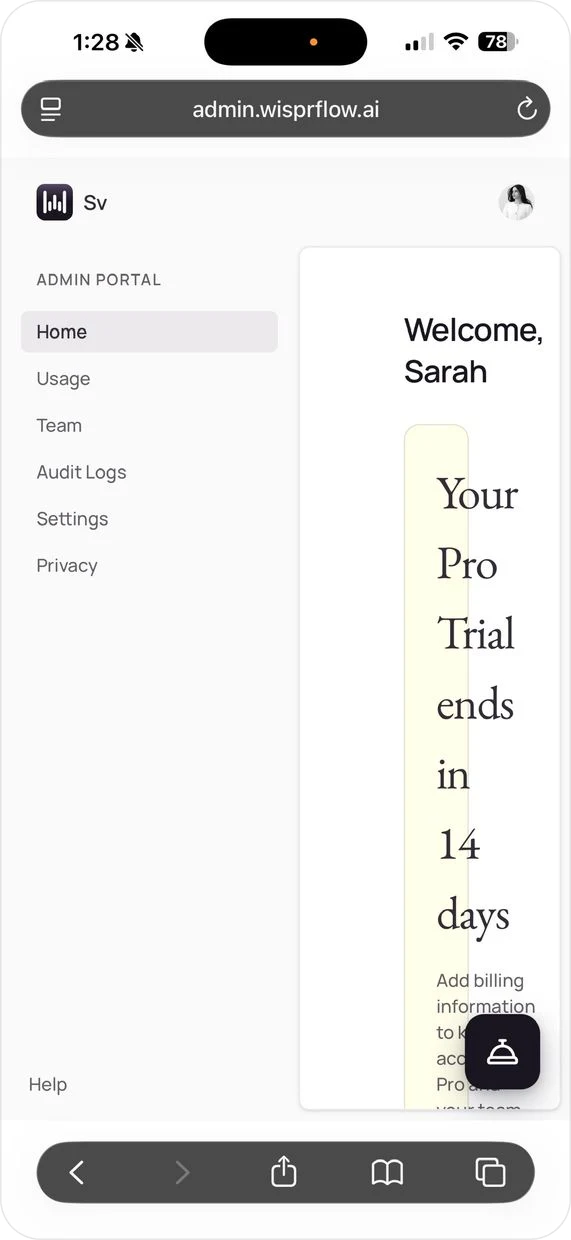
On mobile, the existing portal preserves the desktop sidebar, leaving only a narrow column for the actual interface. Text wraps awkwardly, panels lose hierarchy, and common actions become difficult to reach.
Rather than adapting the desktop layout, I treated mobile as its own platform, with different priorities, navigation patterns, and interaction constraints.
Core Flows
Home
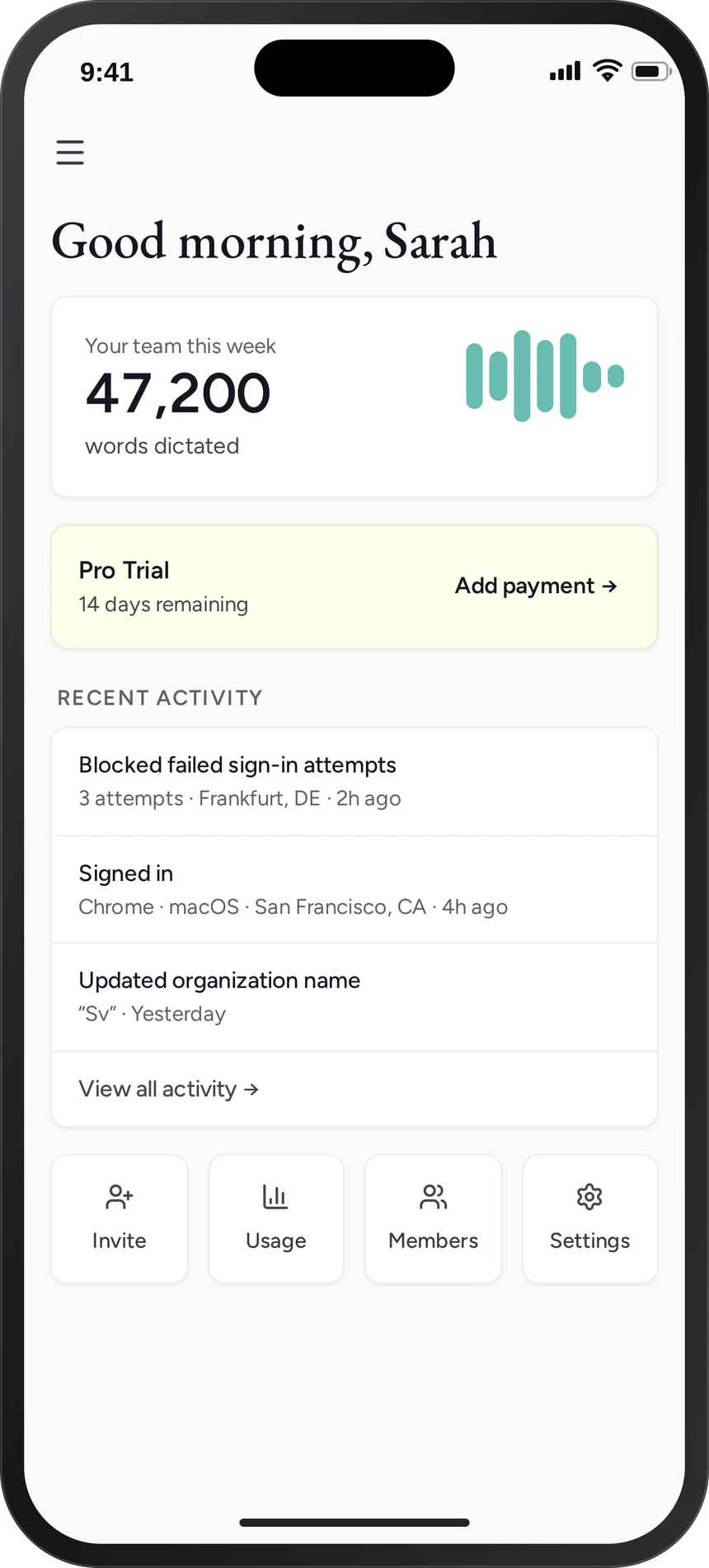
Everything important in one glance.
Workspace status, recent activity, and weekly usage organized around the information an admin is most likely to check first.
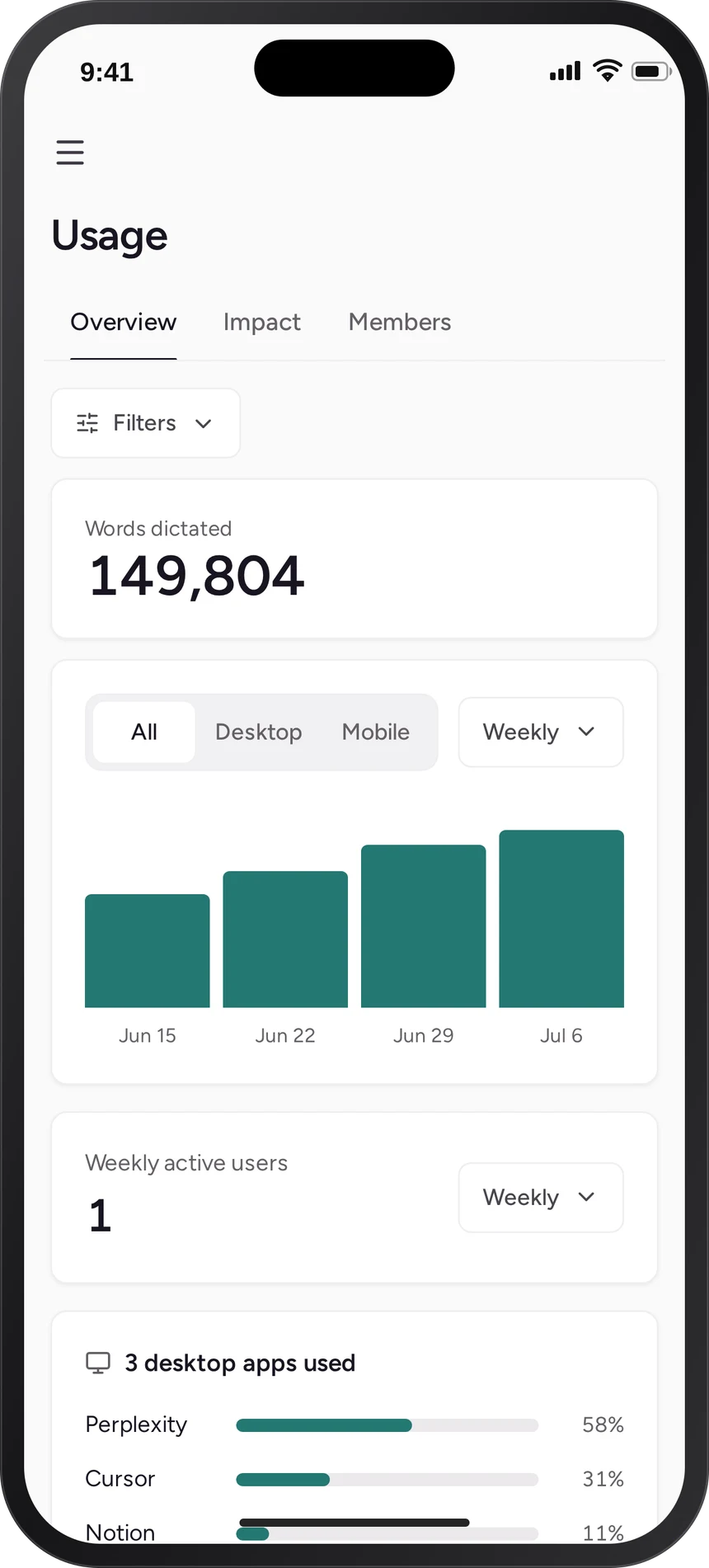
Usage
Clear trends without dashboard overload.
Key metrics lead the page while charts and platform breakdowns provide deeper context only when needed.
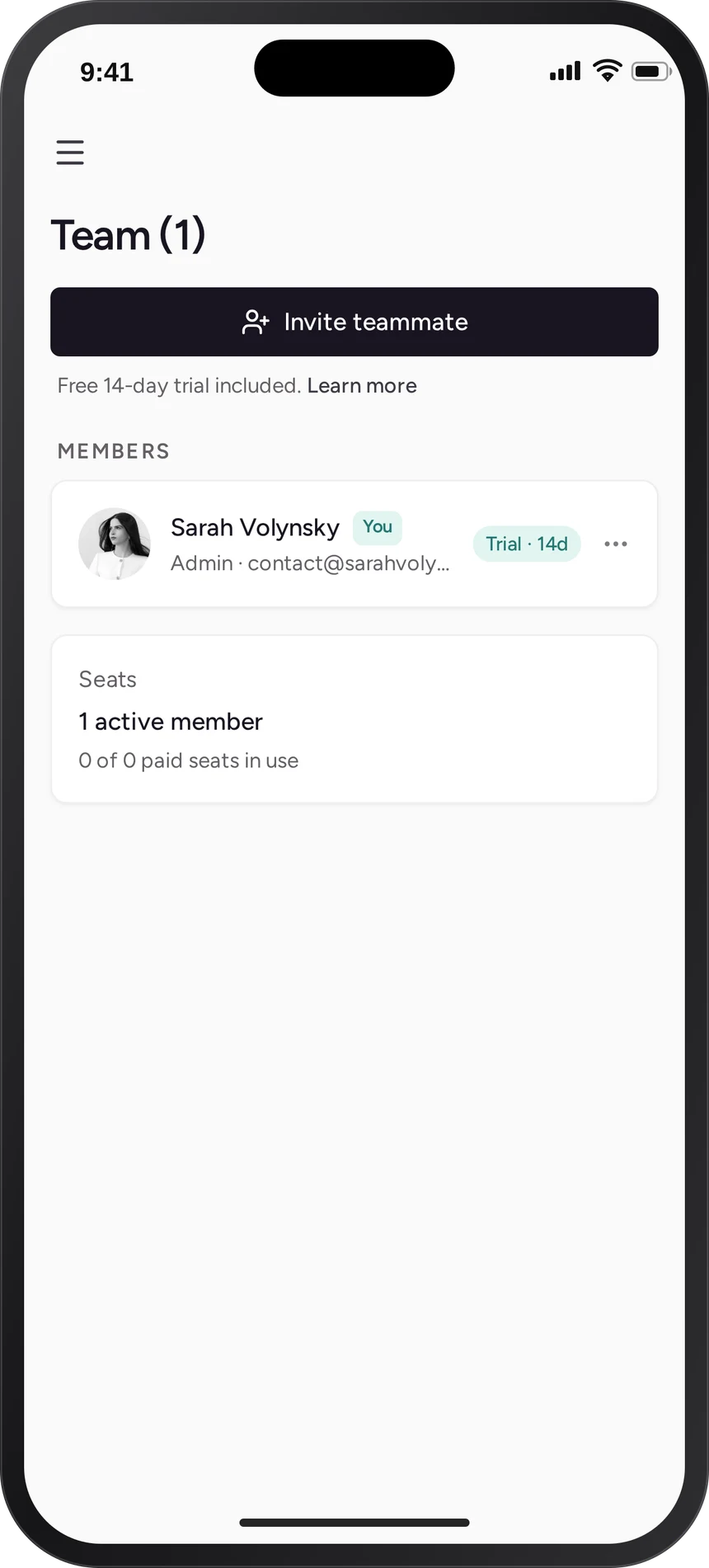
Team
Manage members wherever you are.
Inviting teammates, reviewing roles, and monitoring seat usage all happen from a single screen designed for quick administration.
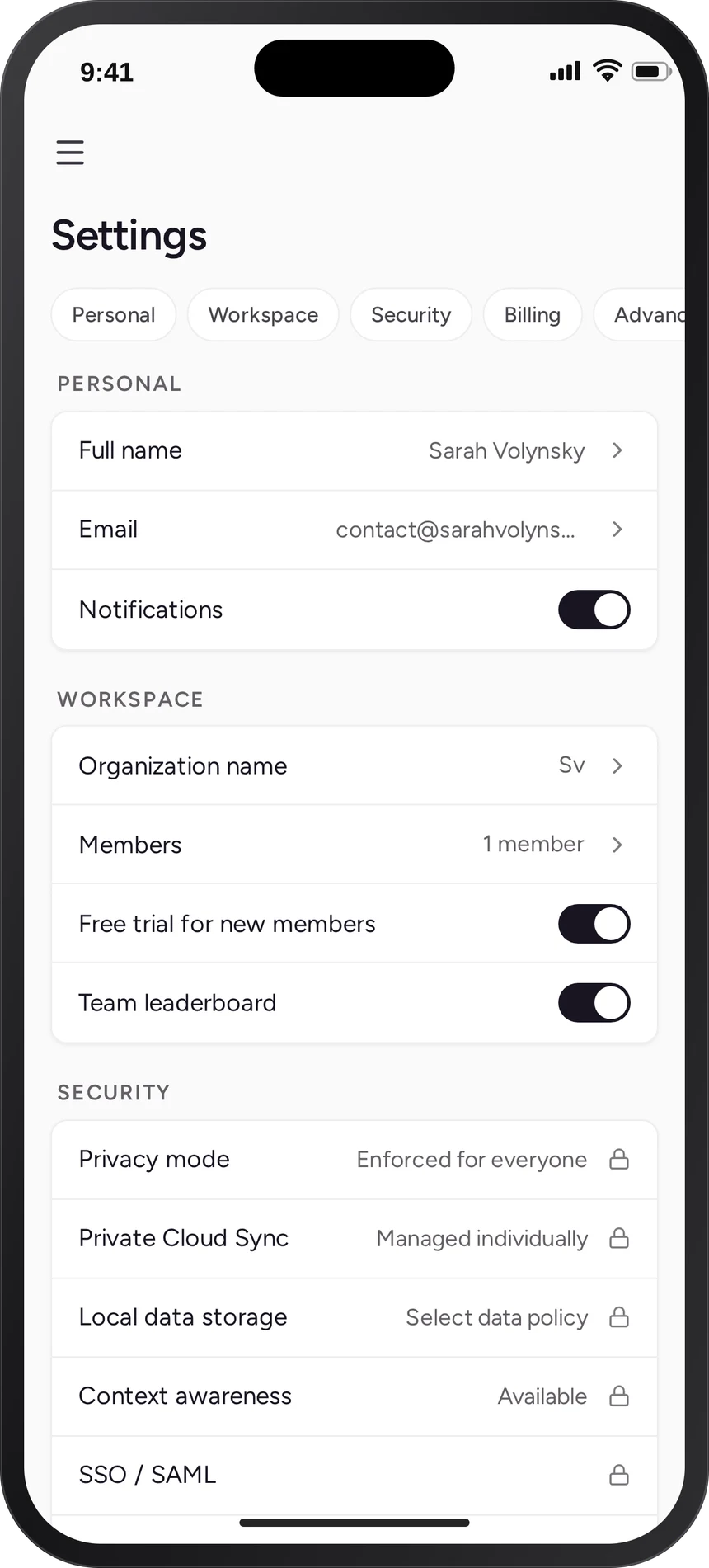
Settings
Complex controls without the complexity.
Dense workspace settings reorganized using familiar mobile navigation patterns, making security and billing feel approachable without sacrificing functionality.
Prototype
Built, not just designed.
The prototype was developed in Next.js and deployed, so every transition, gesture, and interaction behaves like a real product instead of a static mockup.
Design & Build
From idea to production-quality prototype in one weekend.
The goal was never to recreate the existing interface. It explored what a mobile-first admin experience could feel like if it were designed specifically for the device in your hand.
Highlights
- —Fully built with Next.js, React, TypeScript, and Tailwind
- —Live interactions, gestures, and responsive layouts
- —Mobile-first information architecture
- —Native navigation patterns for dense B2B workflows
- —Visual language inspired by Wispr Flow’s warm, editorial aesthetic
An independent concept, not affiliated with Wispr Flow.